

7 Everyday Desk Habits That Can Cause Eye Strain

7 Everyday Desk Habits That Can Cause Eye Strain
Most people spend several hours every day looking at a computer, laptop, tablet, or smartphone. Whether you work in an office, study online, or work from home, screen time has become a regular part of life. While digital devices help us stay productive, they can also affect our eyes if we do not use them properly.
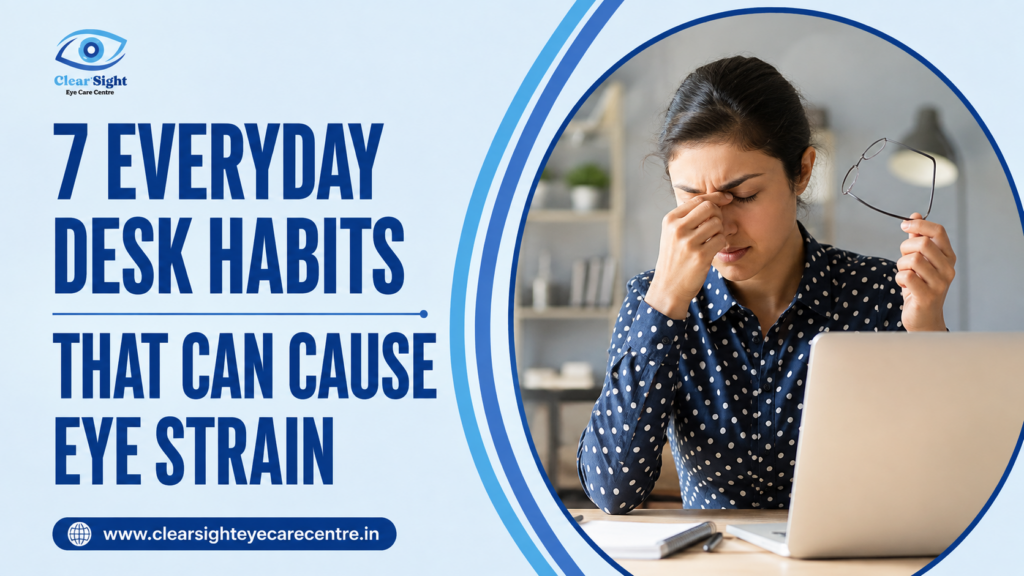
Eye strain is one of the most common problems among people who spend long hours at a desk. You may notice tired eyes, headaches, blurred vision, watering, dryness, or difficulty focusing after working for several hours. These symptoms may seem small at first, but if they continue every day, they can make your work uncomfortable and affect your overall productivity.
The good news is that many of these problems are linked to daily habits that can be changed. By making a few simple adjustments, you can reduce eye strain and keep your vision comfortable throughout the day.

Dr. Bhaktee Thipase
Expert eye doctor offering advanced treatment for vision problems with care, precision.



What Is Eye Strain?
Eye strain, also known as digital eye strain or computer vision syndrome, happens when your eyes become tired after focusing on screens or close-up work for a long time. Unlike an injury or disease, eye strain is usually temporary. However, repeating the same unhealthy habits every day can make the symptoms more frequent.
Your eyes work continuously while reading, typing, attending online meetings, or scrolling through your phone. Without regular breaks and proper eye care, the muscles inside the eyes become tired.
Common Symptoms of Eye Strain
You may be experiencing eye strain if you notice:
- Tired or heavy eyes
- Dryness or irritation
- Burning sensation
- Blurred vision
- Headaches after screen use
- Difficulty focusing
- Neck and shoulder pain
- Increased sensitivity to light
If these symptoms continue even after resting your eyes, it is important to get your vision checked.
1. Looking at the Screen Without Taking Breaks
Many people work continuously for two to four hours without looking away from their screens. This is one of the biggest reasons for eye strain. When you keep focusing on one object for a long time, the eye muscles remain under constant stress. Over time, they become tired, making your eyes feel uncomfortable.
Why it affects your eyes
Your eyes are designed to shift focus between near and distant objects. Staring at a screen for hours reduces this natural movement. As a result, the eye muscles remain active without enough relaxation.
What you should do
Follow the 20-20-20 rule. Every 20 minutes, look at something about 20 feet away for at least 20 seconds. This simple habit allows your eye muscles to relax. Even standing up for a minute, stretching, or looking out of a window can make a difference.
2. Blinking Less While Using Digital Devices
People naturally blink around 15 to 20 times every minute. However, while using computers or smartphones, this number often drops by almost half. Blinking spreads tears evenly across the surface of the eye. When you blink less, your eyes become dry and irritated.
Why it affects your eyes
Reduced blinking allows the tear film to evaporate faster. Without enough moisture, your eyes may feel gritty, itchy, or watery.
What you should do
Make a conscious effort to blink completely while working. Keep artificial tears handy if your doctor recommends them, especially if you spend long hours on digital devices. Maintaining proper moisture is an important part of protecting your eye health during daily screen use.
3. Keeping the Screen Too Close
Many people unknowingly place their laptop or monitor too close to their face. This forces the eyes to work harder to maintain focus.
Why it affects your eyes
When the screen is too close, your eye muscles stay contracted for longer periods. This increases fatigue and can lead to headaches and blurred vision.
What you should do
Keep your monitor about an arm’s length away, generally between 20 and 28 inches. The top of the screen should be slightly below eye level so your eyes remain in a relaxed position. If you work on a laptop, using a separate keyboard and laptop stand can improve your posture as well as reduce eye strain.
4. Working in Poor Lighting
Lighting plays an important role in visual comfort. Both dim lighting and excessive brightness can make your eyes work harder. Reflections on the screen or direct sunlight can also increase discomfort.
Why it affects your eyes
Poor lighting forces your eyes to constantly adjust to changing brightness levels. This extra effort leads to faster eye fatigue.
What you should do
Use balanced room lighting. Avoid placing your monitor directly in front of a bright window. Reduce glare by adjusting curtains or changing the monitor angle. If needed, use an anti-glare screen filter to reduce reflections.
5. Ignoring Your Screen Settings
Many people continue using factory screen settings without adjusting brightness, contrast, or text size. These small settings can have a significant impact on visual comfort.
Why it affects your eyes
A screen that is too bright or too dark makes your eyes work harder to read text. Small fonts also force your eyes to focus more intensely.
What you should do
Adjust your screen brightness so it matches the surrounding room lighting. Increase font size when reading long documents and maintain comfortable contrast settings. Using dark mode at night may also help some users, depending on their comfort.
If you continue experiencing discomfort despite these adjustments, visiting an Eye Clinic for a detailed eye examination can help identify whether an underlying vision problem is contributing to your symptoms.
6. Sitting With Poor Posture
Eye strain is often connected with body posture. Sitting too close to the screen, bending your neck, or leaning forward puts unnecessary stress on both your eyes and muscles.
Why it affects your eyes
Poor posture changes your viewing angle and increases pressure on the neck and shoulders. This often leads to headaches that people mistakenly believe are only related to the eyes.
What you should do
Sit comfortably with your back supported.
- Keep both feet flat on the floor.
- Maintain relaxed shoulders.
- Keep your monitor directly in front of you.
- Position the screen slightly below eye level.
A proper workstation setup benefits both your vision and overall comfort during long working hours.
7. Ignoring Regular Eye Check-ups
Many people assume eye strain is simply a normal part of using computers. However, an outdated glasses prescription or an undiagnosed vision problem can make symptoms much worse.
Why it affects your eyes
Even a small change in your vision forces your eyes to work harder every day. Over time, this increases fatigue and discomfort.
What you should do
Schedule regular eye examinations, especially if you spend several hours daily on digital devices. If you notice persistent blurred vision, headaches, or difficulty focusing, consulting an Eye Specialist in Swargate can help identify the exact cause and recommend appropriate treatment.
Additional Tips to Reduce Eye Strain
Besides avoiding the habits mentioned above, these simple practices can keep your eyes comfortable throughout the day.
Stay Hydrated
Drinking enough water helps maintain natural tear production. Proper hydration reduces dryness and keeps the eyes comfortable during long work sessions.
Clean Your Screen Regularly
Dust, fingerprints, and smudges reduce screen clarity. A clean display allows your eyes to focus more comfortably.
Wear Correct Prescription Glasses
Using outdated glasses can increase eye strain. Make sure your prescription is updated whenever needed.
Get Enough Sleep
Your eyes recover while you sleep. Poor sleep often makes eye strain worse the following day.
Spend Time Outdoors
Looking at distant objects relaxes the focusing muscles inside the eyes. Even a short walk outside during lunch breaks can help.
Why Choose an Experienced Ophthalmologist in Sahakar Nagar Pune?
When it comes to your eyes, the quality of your evaluation genuinely matters. Here is what you can expect from a well-equipped, experienced eye clinic in Sahakar Nagar:
- Comprehensive examinations that go beyond a basic vision test — including tear film assessment, slit lamp evaluation, and screening for early signs of conditions like glaucoma or dry eye disease.
- Personalised recommendations based on your actual visual demands, work environment, and health history — not generic advice.
- Modern diagnostic technology that allows for precise, comfortable evaluation of your eye health.
- Guidance specific to digital lifestyle — including advice on screen ergonomics, appropriate eyewear, and when artificial tears or other treatments might be helpful.
- Convenient local access for residents of Sahakar Nagar, Swargate, Mukund Nagar, Katraj, and Dhankawadi — meaning follow-up visits and ongoing care do not require travelling far.
Good eye care is not just about responding to problems. It is about building a relationship with a doctor who knows your eyes over time and can spot changes early.
When Should You Visit an Eye Doctor?
Occasional eye strain usually improves with rest. However, you should not ignore symptoms that continue for several days. Consider getting your eyes examined if you experience:
- Frequent headaches
- Persistent blurred vision
- Double vision
- Severe dryness
- Eye pain
- Redness that does not improve
- Difficulty focusing even after taking breaks
These symptoms may indicate an underlying vision problem that requires professional evaluation. An Ophthalmologist in Sahakar Nagar can perform a comprehensive eye examination to determine whether your symptoms are related to digital eye strain or another eye condition.
Simple Daily Routine for Healthy Eyes
You do not need major lifestyle changes to protect your eyes. Small daily habits make a big difference. Here is a simple routine:
- Start your work with proper lighting and monitor placement.
- Blink consciously throughout the day.
- Follow the 20-20-20 rule.
- Keep your screen clean.
- Stay hydrated.
- Take short breaks every hour.
- Get enough sleep at night.
- Schedule regular eye check-ups.
Each of these habits supports long-term visual comfort and helps reduce unnecessary stress on your eyes.
Final Thoughts
Digital screens have become an essential part of everyday life, but they should not come at the cost of your vision. Many cases of eye strain are caused by simple habits that people repeat every day without realizing their impact. Taking regular breaks, blinking more often, adjusting your workstation, maintaining good posture, and keeping your screen at a comfortable distance can significantly improve visual comfort.
If your symptoms continue despite following healthy habits, do not ignore them. A comprehensive eye examination can identify whether an underlying vision issue needs attention. If you have ever searched online for the Best eye doctor near me in Swargate, choosing an experienced eye care centre for a detailed evaluation can help you receive the right guidance for maintaining healthy vision.
FAQs
Eye strain can cause tired eyes, headaches, blurred vision, dryness, burning, watering, and difficulty focusing. Some people also experience neck or shoulder pain after long hours of screen use. These symptoms usually improve with rest, but if they happen often, it is a good idea to have your eyes examined.
Take regular breaks by following the 20-20-20 rule, blink more often, keep your screen at a comfortable distance, adjust your screen brightness, and maintain good posture. Proper lighting and staying hydrated can also help reduce eye strain during long hours of computer work.
Using a laptop for long periods does not permanently damage your eyesight. However, it can lead to digital eye strain, causing discomfort such as dry eyes, blurred vision, and headaches. Taking regular breaks and maintaining healthy screen habits can help prevent these problems.
People tend to blink less while looking at digital screens. Less blinking causes tears to evaporate more quickly, making the eyes feel dry, irritated, or gritty. Blinking consciously, taking breaks, and using artificial tears if advised by your doctor can help keep your eyes comfortable.
You should see an eye doctor if eye strain continues even after taking breaks, or if you experience frequent headaches, blurred vision, eye pain, double vision, or severe dryness. A comprehensive eye examination can identify whether your symptoms are caused by digital eye strain or another eye condition.
Note : This article is intended for general educational purposes only. It is not a substitute for professional medical advice, diagnosis, or treatment. Please consult a qualified eye specialist for guidance tailored to your individual needs.